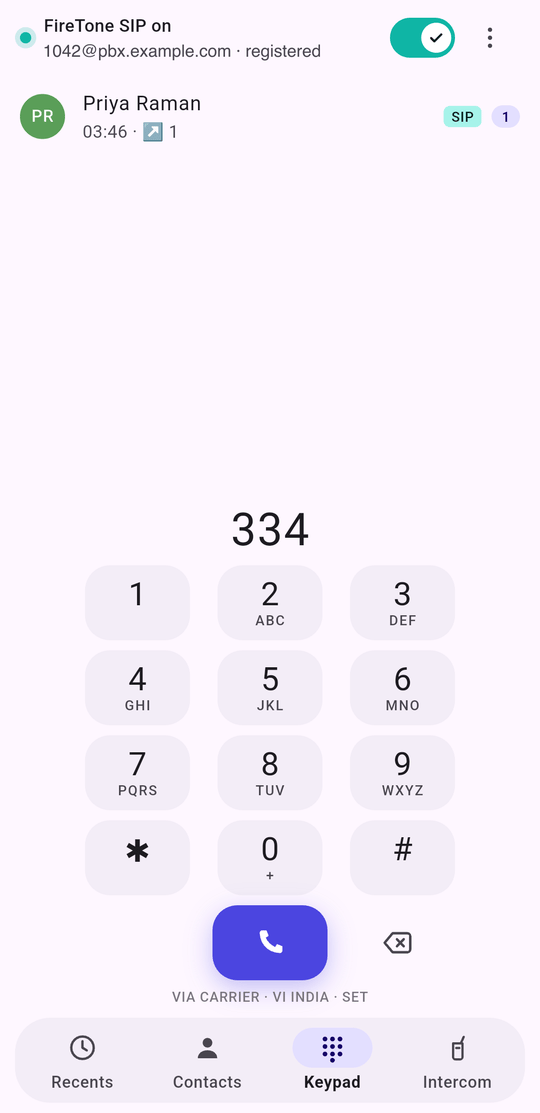
FireTone Agent is a phone app. It registers as one of your extensions and makes and takes calls over the internet, so the extension that rings at a desk also rings in a pocket. It is not a companion to the browser phone. It is a handset in its own right — a keypad, a call history, your address book, and the in-call controls a desk phone has. On Android it can take over as the default phone app, so your carrier calls and your FireTone calls share one screen, one call log and one set of contacts. The FireTone keypad, registered, with a number part-typed and a matching contact shown above it

What it gives you

  • Your extension, anywhere there is data. Wi-Fi or mobile, same number, same caller ID.
  • One call history that covers both lines, with the line each call used marked on the row.
  • Call recording for FireTone calls, stored on the phone and nowhere else.
  • Push-to-talk, if your PBX has conference rooms — see the intercom.
  • The line you meant. Per call, per contact, or one standing choice.

Which phone

The differences are not cosmetic. iOS does not let an app hold a SIP connection in the background, and it does not open its call log to anybody. Both facts shape what the app can do there, and both are covered where they matter rather than being listed once and forgotten.

Start here

  1. Install it and grant what it asks for
  2. Connect it to your PBX
  3. Make a call